
MacBook Air M3 vs. MacBook Pro M4: Which Should You Buy?
Deciding between the MacBook Air M3 and MacBook Pro M4? Compare real-world performance, dual-monitor support, displays, and thermals to pick the right laptop.

Quick answer: Choose the MacBook Air if you need an ultra-portable, silent laptop for everyday multitasking, photo editing, and office workloads. Step up to the MacBook Pro M4 if you require sustained cooling for heavy 3D rendering or long video exports, a 120Hz ProMotion XDR display, or expanded port selection including HDMI and SD Card slots.
Deciding between Apple's thin-and-light Air series and the performance-focused MacBook Pro often comes down to how you handle sustained workloads and display requirements. While both lineups share Apple's power-efficient silicon, key internal and structural differences separate them.
With Apple standardizing 16GB of Unified Memory as the baseline floor across entry models, older 8GB limits are no longer a concern. However, choosing between the MacBook Air M3, the newer MacBook Air M4, and the MacBook Pro M4 requires looking beyond headline CPU scores to evaluate thermals, display technology, and external monitor support.
Key takeaways
- Thermals matter most: The fanless MacBook Air stays completely silent but throttles performance during continuous 30+ minute exports, whereas the fan-cooled MacBook Pro M4 maintains peak clock speeds.
- Display technology: The MacBook Pro features a Liquid Retina XDR screen with a 120Hz ProMotion refresh rate, offering smoother scrolling and higher peak brightness than the Air's 60Hz Liquid Retina display.
- Display outputs: The MacBook Air M3 only supports two external displays when closed in clamshell mode, while the M4 Air and M4 Pro laptops support dual external monitors with the lid open.
- Port selection: Base MacBook Air models stick to two Thunderbolt 4 ports (40 Gbps), while higher-tier MacBook Pro M4 Pro and Max configurations add Thunderbolt 5 ports (up to 120 Gbps).
Design and Portability: Weight, Thickness, and Port Selection
The MacBook Air is engineered around maximum portability. Measuring roughly 11.3 mm thick and weighing about 1.25 kg, it slides easily into any bag. The 14-inch MacBook Pro M4 is noticeably chunkier at ~15.5 mm thick and ~1.6 kg, but that extra chassis depth accommodates active thermal cooling and expanded physical connectivity.
Port selection marks a major division between the two designs:
- MacBook Air (M3 & M4): MagSafe 3 charging port, 2x Thunderbolt 4 / USB4 ports (up to 40 Gbps), and a 3.5mm headphone jack.
- MacBook Pro M4: MagSafe 3 charging port, 3x Thunderbolt ports, full-size HDMI port, SDXC card slot, and a 3.5mm headphone jack.
If you connect external displays, camera cards, or direct HDMI feeds without carrying extra adapters, the MacBook Pro offers a distinct advantage. To understand how video signals pass over these connections, check out our guide on DP Alt Mode explained.
Tip: If you type frequently, the keyboard keycaps on M4 generation laptops feature a firmer, clickier actuation feel compared to the slightly softer key feel on older M3 models.
Display and Audio: Liquid Retina vs. Liquid Retina XDR with 120Hz
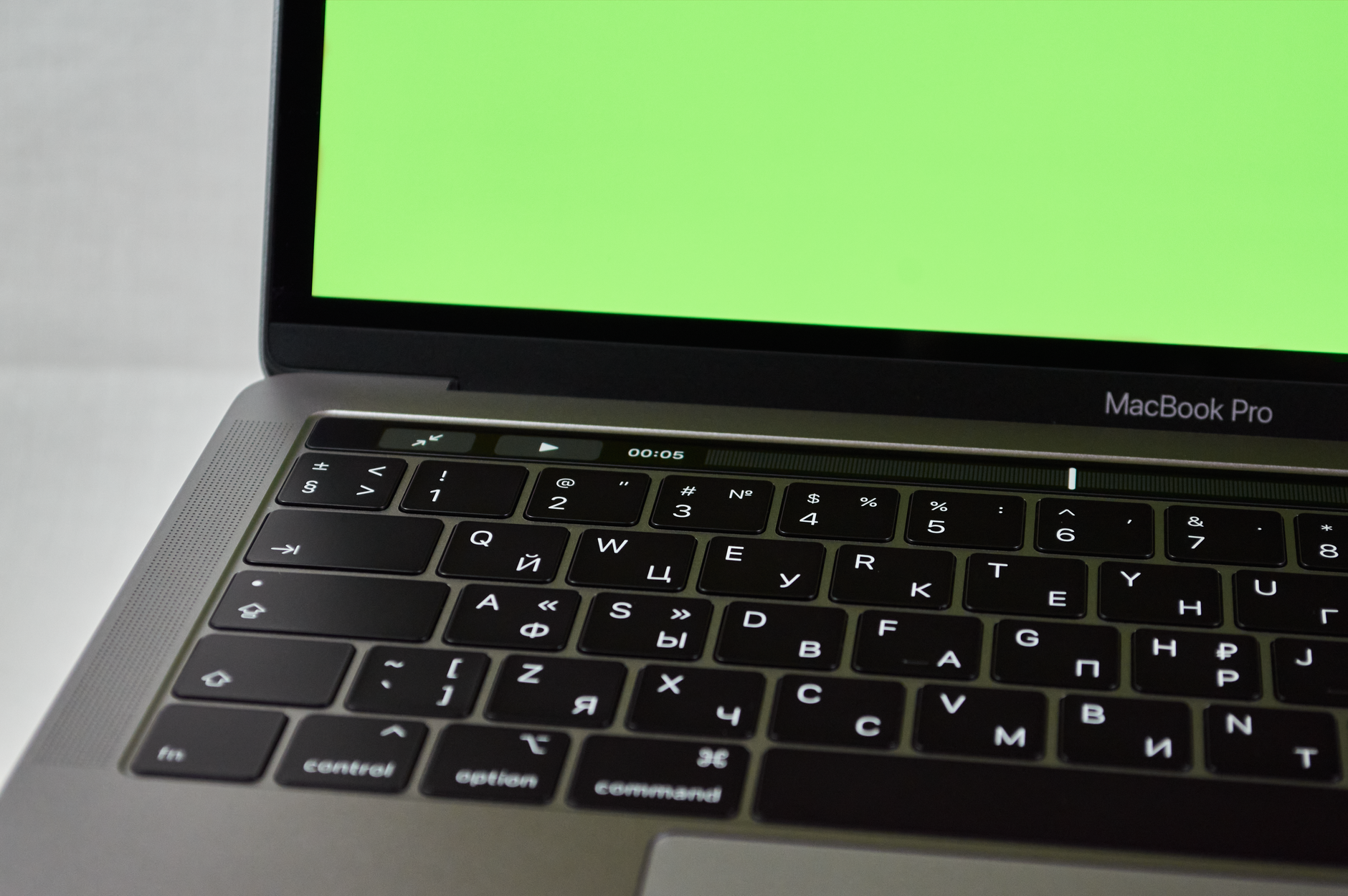
Photo by Ilya Klimenko on Pexels
The visual experience on the MacBook Pro M4 is a substantial upgrade over the MacBook Air. The Air uses a standard Liquid Retina panel limited to a 60Hz refresh rate. It is bright, sharp, and color-accurate for office tasks and media consumption, but it lacks variable high refresh rates.
The MacBook Pro features a Liquid Retina XDR display equipped with ProMotion technology (up to 120Hz). ProMotion dynamically adjusts refresh rates to make page scrolling, window management, and UI animations feel significantly smoother. The XDR panel also hits much higher peak brightness levels for HDR content editing and outdoor visibility.
| Feature | MacBook Air (M3 / M4) | MacBook Pro M4 (14") |
|---|---|---|
| Display Tech | Liquid Retina (60Hz) | Liquid Retina XDR with ProMotion (120Hz) |
| Chassis Thickness | ~11.3 mm | ~15.5 mm |
| Starting Weight | ~1.25 kg | ~1.6 kg |
| Base Memory Floor | 16GB Unified Memory | 16GB Unified Memory (24GB on M4 Pro) |
| Cooling System | Passive (Fanless) | Active (Internal Fan) |
| External Displays | M3: 2 (Lid closed) M4: 2 (Lid open) | 2+ external displays (Lid open) |
| High-Speed Ports | 2x Thunderbolt 4 (40 Gbps) | 3x Thunderbolt 4 or Thunderbolt 5 (120 Gbps) |
M3 vs. M4 Performance: CPU, GPU, and Memory Bandwidth Realities
In short burst benchmarks, the performance gap between generations is straightforward. The M4 chip scores approximately 15,114 in Geekbench 6.3 multicore benchmarks—a jump of roughly 25% over the M3 generation. The base M4 also boosts memory bandwidth from 100 GB/s on the base M3 up to 120 GB/s (and up to 273 GB/s on M4 Pro chips).
However, real-world productivity depends heavily on task duration:
- Short burst tasks (Under 5 minutes): Opening heavy applications, compiling small code bases, or exporting short 1080p video clips feel nearly identical across M3 and M4 chips.
- Multitasking and AI workloads: Apple's shift to a 16GB RAM minimum baseline ensures both generations handle local AI tasks, browser tab overload, and background applications smoothly. To learn more about local hardware processing, see our breakdown on what Neural Processing Units do in PCs.
MacBook Air M3
Pros
- Ultra-thin and lightweight chassis
- Completely fanless, 100% silent operation
- Significantly lower price point (especially refurbished)
- 16GB RAM standard baseline
Cons
- Throttles performance under continuous 30+ min rendering
- External dual monitors require closing the laptop lid
- Lacks HDMI and SD Card slots
MacBook Pro M4
Pros
- Active fan cooling prevents thermal throttling
- 120Hz ProMotion XDR display with higher peak brightness
- Supports Thunderbolt 5 on M4 Pro/Max chips (up to 120 Gbps)
- Full selection of built-in ports (HDMI, SDXC slot)
Cons
- Heavier and noticeably thicker chassis
- Higher starting purchase price
Battery Life and Sustained Workloads: Thermal Throttling vs. Active Fans
Thermal management is the single biggest practical difference between these two machines. The MacBook Air uses a passive, fanless cooling design. It is completely silent, but extended exports force the OS to reduce clock speeds to control temperatures.
The MacBook Pro features an active cooling fan. During standard web browsing, typing, or media playback, the fan rarely turns on. However, during 30+ minute 8K video renders, complex 3D modeling, or continuous code compilation, the fan spins up to keep the CPU and GPU operating at peak clock speeds without throttling performance.
Warning: Do not buy a fanless MacBook Air expecting full clock speed performance on sustained 4K/8K video renders lasting longer than 20 minutes. For continuous heavy export tasks, the fan-cooled Pro is required.
Battery longevity is exceptional on both lines, rated for up to 18 to 24 hours depending on the exact chip and usage. The MacBook Air line also supports fast charging, allowing you to top up roughly 50% battery in 30 minutes when using a 65W or higher USB-C power adapter.
Price and Value: Is the M4 MacBook Pro Worth the Upgrade?
Price efficiency depends heavily on whether you shop new or refurbished. Refurbished MacBook Air M3 models frequently drop to $739–$799, whereas a new M4 MacBook Pro starting around $1,999 for Pro chip variants represents a price difference of $900 or more.
If your daily workflow consists of browser-based software, writing, document editing, and light photo touch-ups, paying nearly double for a Pro model yields diminishing returns. However, if your work directly generates revenue through video production, software development, or heavy graphical processing, the time saved by active cooling and the convenience of built-in HDMI and SD card ports easily justifies the cost.
Common Mistakes to Avoid
- Buying older 8GB RAM configurations: Avoid purchasing older clearance inventory with 8GB of RAM. Always verify your configuration has at least 16GB of Unified Memory for future macOS compatibility.
- Assuming the M4 Air has Thunderbolt 5 or Wi-Fi 7: Thunderbolt 5 (120 Gbps) is exclusive to M4 Pro and M4 Max chips. The standard M4 Air sticks to Thunderbolt 4 (40 Gbps) and Wi-Fi 6E.
- Overpaying for Pro power: Buying a MacBook Pro solely for basic administrative work or media consumption leaves most of its thermal overhead and GPU power completely unused.
Bottom line
Choose the MacBook Air M3 or M4 if: You want an affordable, ultra-portable, completely silent laptop for everyday tasks, office work, photo editing, and light video work where fanless operation is ideal.
Choose the MacBook Pro M4 if: You regularly run sustained heavy exports, require an HDMI port and SD card slot without dongles, or want the ultra-smooth visuals of a 120Hz ProMotion XDR screen.
FAQ
Is the base MacBook Pro M4 worth $500+ more than the MacBook Air M3?
It depends entirely on your workload. It is worth the extra cost if you need active fan cooling for long video exports, a 120Hz ProMotion XDR display, or built-in HDMI and SDXC ports. For standard multitasking and daily office productivity, the MacBook Air offers better value.
Does the MacBook Air M3 thermal throttle during video editing?
The MacBook Air M3 handles short video edits and timeline scrubbing smoothly without issue. However, during continuous 4K exports lasting longer than 15–20 minutes, the passive cooling system will gradually throttle performance to keep temperatures safe.
Can the MacBook Air M3 drive two external monitors?
Yes, but the MacBook Air M3 requires you to close the laptop lid (clamshell mode) to drive two external displays. By contrast, the newer MacBook Air M4 supports dual external monitors while keeping the built-in display open.
How much faster is the M4 chip compared to the M3 in daily tasks?
The M4 chip scores roughly 25% higher in multicore synthetic benchmarks. In everyday tasks like web browsing, writing, and streaming, the difference is barely noticeable. The speed increase becomes apparent mainly in heavy code compilation and batch photo exports.
Is 120Hz ProMotion on the MacBook Pro noticeable for office work?
Yes, 120Hz ProMotion provides visibly smoother motion when scrolling through long documents, browsing web pages, and moving windows across the desktop compared to the standard 60Hz panel on the MacBook Air.
Sources
Facts in this article were checked against these pages on November 14, 2026:
- M4 MacBook Air vs. M3 Pro MacBook Pro: Which One Stays? (beard.fm)
- MacBook Air M4 vs. MacBook Air M3: Should you buy the M4 Air? (yahoo.com)
- MacBook Pro M4 vs M3 (2026): Worth It? + Deals – MacPro-LA (macpro-la.com)
- MacBook Air M4 Vs Air M3 - Should you Spend $200 More? (youtube.com)
- M4 MacBook Air vs M3 Pro MacBook Pro – Worth the Trade? (youtube.com)
- MacBook Air M3 vs M4: Is the Upgrade Worth It? (refurb.me)
How we researched this: this guide is based on current manufacturer information and reputable sources, listed in the Sources section above, and is updated when things change. Read our editorial policy.
Content Writter

Comments
No comments yet — be the first to share your thoughts.