
reMarkable Paper Pro vs. Kindle Scribe: Which Should You Buy?
Comparing the reMarkable Paper Pro vs Kindle Scribe to help you choose the best digital notebook for writing, PDF markup, and reading.

Quick answer: Choose the reMarkable Paper Pro if your main goal is distraction-free note-taking, PDF markup, and customizable templates with muted color highlighting. Choose the Kindle Scribe if you prioritize reading from Amazon's ebook store, sharper text contrast, and lower hardware costs.
Digital paper tablets aim to replace stacks of paper notebooks with a single device that feels natural to write on. However, choosing between the reMarkable Paper Pro vs Kindle Scribe comes down to whether you prioritize focused note-taking or deep ebook integration.
With recent additions to the E-Ink market—including color displays and front-light-free variants—the decision requires looking closely at screen technology, latency, hidden accessory pricing, and reading ecosystems.
Key takeaways
- The reMarkable Paper Pro uses a 11.8-inch color Canvas display, whereas the base Kindle Scribe offers a sharper 300 PPI monochrome screen.
- Amazon includes an eraser on its base Premium Pen, while reMarkable charges an extra $50 for the Marker Plus eraser upgrade.
- Color E-Ink relies on dithered pigments meant for subtle highlighting and pastel tones, not bright video or LCD-style color media.
- The Kindle Scribe seamlessly syncs with Amazon's ebook library, while the reMarkable Paper Pro lacks a native bookstore and requires side-loading PDFs or EPUB files.
Display and Writing Feel: Canvas Color vs. Monochrome E-Ink
The screen technology behind these two tablets creates fundamentally different writing and reading experiences. The reMarkable Paper Pro features an 11.8-inch display built around a color Canvas system. It uses physical RGBCYM (red, green, blue, cyan, yellow, magenta) ink particles contained in individual micro-chambers alongside black and white particles. This delivers a low-latency writing surface with soft, natural tones. However, because of the color filtering layer, the screen renders at 226 pixels per inch (PPI).
By contrast, the standard 10.2-inch Kindle Scribe monochrome display offers a 300 PPI resolution. Crisp text rendering gives the Kindle Scribe an edge for small typography during extended reading sessions. Amazon's high-end 11-inch Kindle Scribe Colorsoft matches the color capabilities of modern E-Ink with texture-molded glass, engineered to increase pen friction and eliminate stylus drag during quick strokes.
| Feature | reMarkable Paper Pro | Kindle Scribe (Monochrome) | Kindle Scribe Colorsoft |
|---|---|---|---|
| Screen Size & Type | 11.8-inch Canvas Color | 10.2-inch Monochrome E-Ink | 11-inch Color E-Ink |
| Resolution | 226 PPI | 300 PPI | 300 PPI (B&W) / Color |
| Starting Price | $579 (64GB) | $339.99 (16GB) | $630 (32GB) |
| Built-in Eraser Pen | Requires $50 upgrade | Included with Premium Pen | Included with Premium Pen |
| Battery Life | Several weeks | Up to 12 weeks | Several weeks |
Tip: If you struggle with hardware connectivity on other mobile gear in your setup, check our guide on how to fix an iPad that won't charge or turn on to keep your secondary devices active.
Hardware Design, Stylus Response, and Battery Life
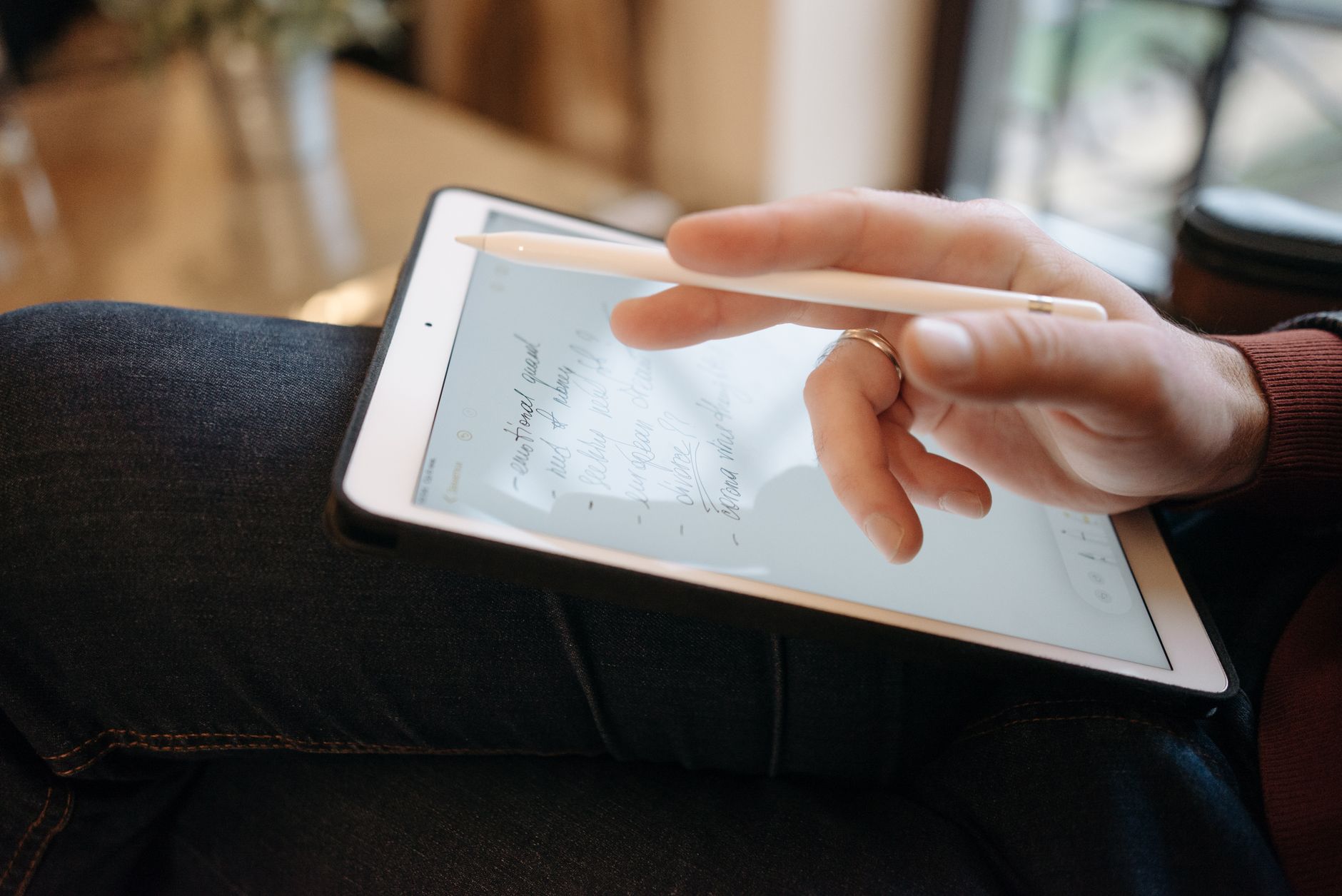
Photo by Pavel Danilyuk on Pexels
In hand, the reMarkable Paper Pro feels strikingly thin, measuring 196.6 x 274.1 x 5.1 mm and weighing 525 grams. Its wide surface gives your wrist room to rest, mimicking an A5 paper pad. Pen response is nearly instantaneous, making handwriting feel precise and natural.
The Kindle Scribe lineup features varying designs across generations. The original 10.2-inch monochrome Scribe measures 196 x 229 x 5.8 mm and weighs 433 grams, making it lighter to hold with one hand. In late 2025, Amazon launched an updated 11-inch Kindle Scribe generation featuring a slimmer 5.4 mm chassis starting at $499.99. Amazon also expanded the lineup in June 2026 with a $429.99 model that eliminates the front light, specifically targeting buyers who want pure screen clarity without front-light layers.
Battery performance favors Amazon's monochrome tablet. The monochrome Kindle Scribe lasts up to 12 weeks on a single charge under moderate reading and writing conditions. The reMarkable Paper Pro lasts several weeks under typical writing workloads, but continuous use of its built-in front light will drain the battery faster.
reMarkable Paper Pro
Pros
- Expansive 11.8-inch screen area for sketching and note-taking.
- Subtle RGBCYM color palette perfect for document markup.
- Ultra-low stylus latency creates realistic pen feedback.
Cons
- Lower screen resolution (226 PPI) than monochrome alternatives.
- Higher entry price with extra costs for eraser styluses.
- No built-in ebook store for quick reading purchases.
Kindle Scribe
Pros
- Sharp 300 PPI screen renders crisp text for reading.
- Monochrome model provides up to 12 weeks of battery life.
- Direct integration with Amazon's Kindle ebook library.
Cons
- Basic built-in note templates and limited notebook organization.
- Exporting notes to desktop apps requires extra conversion steps.
- Monochrome models lack color highlighting options.
Note-Taking Capabilities, PDF Markup, and Cloud Sync
For dedicated note-taking, the reMarkable Paper Pro remains superior. Its software focuses entirely on notebook organization, folder layering, and customizable page templates. You can mark up PDFs and EPUB files directly with color highlighters, export documents via desktop or mobile companion apps, and organize notes into nested folders without clutter.
The Kindle Scribe handles writing well, but its software remains simple. It supports sticky notes within Kindle books and basic notebook creation, but template options are limited. Annotation on sideloaded PDFs works fine, but file management options are far less flexible than reMarkable's dedicated workspace.
E-Book Reading Experience and Amazon Ecosystem
If reading ebooks takes priority, the Kindle Scribe is the clear winner. It connects directly to Amazon's ebook store, letting you purchase, sync, and read titles instantly. Features like Whispersync keep your reading progress aligned across your phone, Kindle e-reader, and Scribe. The Colorsoft version even adds support for color book covers and full-color page layouts.
The reMarkable Paper Pro has no integrated bookstore. To read on it, you must transfer DRM-free EPUB files or PDFs manually using a computer or cloud storage service. Reading on reMarkable's Canvas display works fine, but it lacks reading tools like built-in dictionary lookups, X-Ray background details, or font adjustments found in the Kindle software.
Total Costs: Hardware, Stylus, and Subscription Fees
Total ownership cost goes beyond the advertised base prices. The entry pricing breakdown requires careful attention to accessories:
- reMarkable Paper Pro: Starts at $579 (64GB) with the standard Marker. Upgrading to the Marker Plus (which adds a built-in eraser) costs $629 ($50 extra). Protective covers add to the cost, with the Book Folio priced at $89 and the Type Folio keyboard cover at $229. Cloud sync across non-local devices requires an optional Connect subscription.
- Kindle Scribe Lineup: The 10.2-inch monochrome version ranges from $339.99 (16GB) to $449 (64GB), bundled with the Premium Pen including an eraser at no added charge. The front-light-free entry model costs $429.99, the 11-inch redesigned model starts at $499.99, and the premium Kindle Scribe Colorsoft starts at $630. Amazon-branded covers cost $69.
Warning: Never buy the base reMarkable Marker assuming you can flip it over to erase text. Erasing with the stylus tip requires buying the $50 Marker Plus upgrade.
Common Mistakes When Choosing an E-Ink Tablet
- Expecting iPad-like screen vibrancy: Color E-Ink technology (dithered RGBCYM) uses muted, pastel-like colors designed for highlighting and reading comfort, not high-contrast video, vibrant comic book art, or glossy graphics.
- Assuming full store access on reMarkable: Buying the reMarkable Paper Pro to read Kindle titles requires stripping DRM and transferring files manually, which is cumbersome compared to native Kindle hardware.
- Overlooking accessory costs: Comparing base prices without factoring in erasers, keyboard folios, or protective covers leads to unexpected costs at checkout.
Bottom line: Choose the reMarkable Paper Pro if you want an expansive, distraction-free digital notebook for document markup, drawing, and organized note-taking with color accents. Choose the Kindle Scribe if your primary goal is reading ebooks from Amazon's store alongside crisp, black-and-white handwritten notes without paying extra for basic stylus features.
FAQ
Is the reMarkable Paper Pro worth the higher price over the Kindle Scribe?
Yes, if your primary workflow involves professional document markup, complex folder organization, and low-latency color writing. However, if you spend more time reading ebooks than writing notes, the Kindle Scribe offers better overall value.
Does the Kindle Scribe have a color screen like the reMarkable Paper Pro?
The standard Kindle Scribe models feature black-and-white 300 PPI displays. However, Amazon offers the Kindle Scribe Colorsoft, which features an 11-inch color E-Ink screen designed for color book covers, highlighting, and full-color reading.
Can color E-Ink screens replace an iPad for reading color comics or children's books?
No. Color E-Ink uses micro-pigments that render muted, pastel tones to reduce eye strain. They do not produce the high brightness, deep saturation, or smooth video playback of LCD or OLED tablet screens like an iPad.
Do you need a Connect subscription to use the reMarkable Paper Pro?
No, the tablet functions fine offline for local writing and reading. However, backing up notes continuously to cloud services and syncing documents seamlessly across mobile and desktop apps requires an active Connect subscription.
Which tablet feels more like writing on real paper?
The reMarkable Paper Pro provides a tactile, textured writing surface with lower pen latency, giving it a feel remarkably close to pen on paper. The Kindle Scribe offers good friction, but feels slightly smoother under hand.
Can you read Kindle books on the reMarkable Paper Pro?
Not natively. The reMarkable Paper Pro lacks an Amazon Kindle app or web browser access to the Kindle store. You can only read DRM-free EPUB files or PDFs sideloaded onto the device.
Sources
Facts in this article were checked against these pages on October 27, 2026:
- Kindle Scribe VS reMarkable Paper Pro (Comparison 2026) | Kindle or reMarkable Which to Buy (youtube.com)
- Kindle Scribe vs. ReMarkable Paper Pro: Which e-reader is right for you? | Tom's Guide (tomsguide.com)
- Kindle Scribe vs. ReMarkable Paper Pro: I've used both E Ink tablets, and this one wins - ZDNET (zdnet.com)
- Choosing Between the Kindle Scribe & reMarkable Paper Pro? Watch This First (youtube.com)
- Remarkable Paper Pro vs Amazon Kindle Scribe: Comparing the E Ink tablets (trustedreviews.com)
- Kindle Scribe vs reMarkable Paper Pro (youtube.com)
How we researched this: this guide is based on current manufacturer information and reputable sources, listed in the Sources section above, and is updated when things change. Read our editorial policy.
Content Writter

Comments
No comments yet — be the first to share your thoughts.