
PWM Dimming Explained: Why Phone Screens Cause Eye Strain
Discover how pulse-width modulation (PWM) causes screen flicker, headaches, and eye fatigue on OLED phones, plus how to find eye-friendly displays.

Quick answer PWM (Pulse-Width Modulation) dimming is a display technique that controls screen brightness by rapidly flashing pixels on and off thousands of times per second. While invisible to the naked eye, this high-speed pulsing forces your pupils to adjust constantly, triggering eye strain, headaches, and dizziness for sensitive users.
If you experience dry eyes or throbbing headaches after looking at a smartphone screen for just fifteen minutes, your display technology might be the culprit. Many modern displays do not lower their electrical current to dim the screen; instead, they cycle between 100% peak brightness and total darkness faster than your conscious vision can process.
Understanding PWM dimming explained in plain terms helps you identify why flagship phones cause discomfort while devices like MacBooks or LCD tablets feel completely comfortable to read on for hours.
Key takeaways
- PWM controls brightness by toggling pixels between full intensity and complete darkness, adjusting the ratio of ON versus OFF time (duty cycle).
- OLED panels rely on PWM because lowering voltage directly (DC dimming) causes color distortion like purple or green tints at low brightness.
- Screens operating at low PWM frequencies (240Hz–480Hz) trigger severe eye strain, while high-frequency dimming (3,840Hz+) falls into the safe zone defined by IEEE 1789 standards.
- Modulation depth—how deeply the light drops during OFF cycles—is just as critical to eye comfort as advertised hertz rates.
- Testing a display requires shooting low-brightness video with a second phone to expose dark rolling bands.
What Is PWM Dimming and How Does It Work?
Pulse-Width Modulation controls screen brightness by switching the light source on and off at extreme speeds. When set to maximum brightness, the pixels stay turned on constantly. As you drop the brightness slider, the screen remains at full power during the ON phase, but lengthens the duration of the OFF phase.
Think of PWM dimming like a ceiling fan with light bulbs attached. If you flip a wall switch on and off once every second, you will see violent flashes of light. But if an automated switch flips that same light on and off 3,000 times a second, your brain perceives a smooth, steady glow. Even though the light appears dim, your eyes are absorbing full-intensity light pulses during every microsecond the light is active.
The ratio of light output to dark intervals is called the duty cycle. A 50% brightness setting means the screen spends exactly half its time blasting 100% peak light intensity and half its time completely black. Because LED lights have zero afterglow—they drop to total darkness instantaneously—the transition between ON and OFF states creates aggressive light fluctuations.
Why Modern OLED Screens Use PWM Dimming
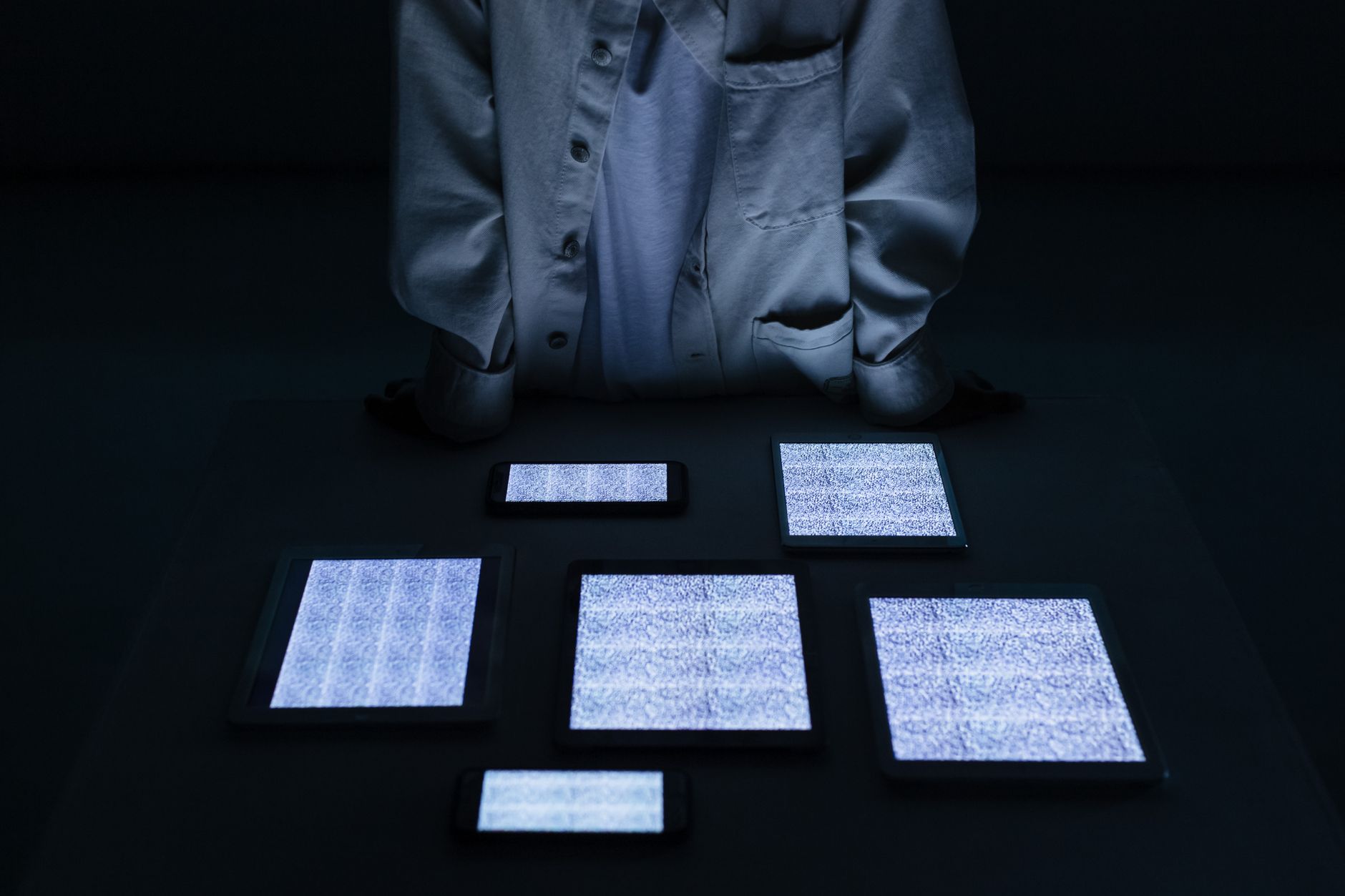
Photo by Ron Lach on Pexels
OLED displays feature self-emissive pixels, meaning every single subpixel generates its own light. While this produces deep black levels and vibrant contrast, controlling individual organic LEDs via electrical voltage is difficult. Lowering the voltage directly—a method known as DC dimming—causes electrical instability at low power levels. This instability leads to uneven colors, resulting in blotchy green or purple tints across gray backgrounds.
To maintain exact color accuracy across every brightness level, display manufacturers run OLED pixels at full rated voltage during every pulse, using PWM to drop perceived brightness. However, backlighting approaches differ significantly across panel types:
| Display Tech | Primary Dimming Method | Flicker Behavior (Hz) | Color Accuracy at Low Brightness |
|---|---|---|---|
| Older / Flagship OLEDs | Low-Frequency PWM | 240Hz – 480Hz (Heavy invisible flicker) | High |
| Modern Chinese OLEDs (2026) | High-Frequency PWM / Hybrid | 2,160Hz – 5,920Hz (Ultra-fast pulses) | High |
| Traditional LCD (e.g., iPad Air) | DC Dimming / High-Hz Backlight | 0Hz (Flicker-Free) to 10,000Hz+ | High (Uses uniform backlight) |
Devices like the Apple iPad Air (M2/M4 models) or OnePlus Pad 2 utilize LCD screens with direct current control or ultra-high backlight rates, rendering them flicker-free (0Hz). Conversely, flagship OLED smartphones from Apple, Samsung (such as the Galaxy S26 series), and Google often maintain lower base PWM frequencies near 480Hz, which can cause discomfort for sensitive individuals.
Symptoms of PWM Sensitivity: Eye Strain and Headaches
Even when you cannot see a screen flashing, your ciliary muscles and pupils react to rapid shifts in light intensity. Absorbing peak light pulses in dark environments forces your eyes to work constantly to adjust. Over prolonged sessions, this leads to distinct neurological and physical symptoms.
- Ocular fatigue: Dry, burning sensations, red eyes, and difficulty focusing on small screen text.
- Neurological strain: Tension headaches radiating behind the eyes or across the forehead after 15–30 minutes of screen time.
- Motion sensitivity: Mild nausea, dizziness, or disorientation when fast-scrolling through social feeds or web pages.
Warning: Symptoms worsen significantly when using an OLED phone at minimum brightness in a dark room. Low brightness extends the duration of the black interval, maximizing the modulation contrast between peak brightness and total darkness.
PWM Frequency Rates: Why Higher Hertz Numbers Matter
Screen flicker safety is evaluated using guidelines established by IEEE standard 1789. The higher the frequency (measured in Hertz, or Hz), the shorter the gap between light pulses, making it far less taxing on human eye muscles.
The Frequency Safety Thresholds
- 240Hz – 480Hz (High Risk): Found on older OLED displays and several current flagships. The slow pulse rate creates a broad dark wave that triggers eye fatigue for sensitive users.
- 1,920Hz – 2,160Hz (Low Risk): Common in modern mid-range devices like the Nothing Phone (4a / 4a Pro) and OnePlus 15. The rapid pulse rate vastly reduces eye strain for the vast majority of people.
- 3,000Hz – 5,920Hz+ (Zero / Negligible Risk): High-frequency dimming utilized in screens like the Honor MagicPad 2 (4,320Hz) or Huawei MatePad Pro (~4,000Hz). IEEE standards consider frequencies above 3,000Hz virtually risk-free for human health.
The Missing Factor: Modulation Depth
Frequency alone does not tell the full story. Modulation depth measures the percentage drop in light intensity during the OFF cycle. A screen running at 2,160Hz can still trigger severe headaches if the light drops completely to 0% during every pulse at 35% brightness. Recent 2026 display implementations address this by keeping modulation depth dips shallow (between 6% and 12%), smoothing out the transition between pulses.
DC Dimming vs. PWM: Key Differences Explained
Choosing between DC dimming and PWM involves trade-offs between visual eye comfort and image quality.
DC Dimming (Constant Current Reduction)
- True 0Hz flicker-free operation.
- Eliminates light-pulse headaches and pupil fatigue.
- Ideal for long reading sessions in low-light rooms.
Low-Frequency PWM Dimming
- Maintains absolute color accuracy at 1% brightness.
- Preserves high contrast ratios and deep blacks.
- Causes severe physiological fatigue for sensitive users.
To deliver the best of both worlds, many manufacturers now use hybrid dimming algorithms. These screens apply DC-like dimming at medium-to-high brightness levels (above 30%) and automatically engage high-frequency PWM (3,840Hz+) only when brightness drops into low-light territory.
How to Test Your Screen and Reduce Eye Fatigue
How to Test for PWM Flicker
- Set your target smartphone brightness to roughly 15–20%.
- Take a second phone, open its camera app, and set the video recording speed to manual or shutter-speed priority mode (or 240fps slow-motion).
- Point the camera closely at the target screen. If dark, rolling horizontal bands sweep across the viewfinder, your screen is using low-frequency PWM dimming.
Common Mistakes to Avoid
- Relying solely on advertised Hz numbers: Do not assume an advertised 2,160Hz panel is safe without checking reviews. Some phones only activate high-frequency dimming below 15% brightness, reverting to uncomfortable 360Hz flickering at mid-range brightness settings.
- Using screens in complete darkness: Dimming your screen to 1% in a dark room forces maximum modulation depth. Keep ambient lighting on, such as a warm desk lamp.
- Confusing PWM flicker with blue light fatigue: Blue light causes sleep disruption, but rapid screen pulsing triggers physical headaches. If your eyes hurt despite enabling a night filter, PWM is likely responsible.
- Ignoring general display settings: High-refresh rates (like 120Hz) do not change the PWM dimming frequency. To optimize your visual comfort, scale up system text sizes and check for hardware features like DP Alt Mode display output to work on external flicker-free monitors.
Tip: If you must use a low-frequency PWM screen, keep the brightness slider at or above 50% and lower in-app contrast via accessibility settings instead. This forces the duty cycle to remain wider, shrinking the duration of the black intervals.
Bottom line If you experience frequent headaches or severe visual fatigue from modern smartphones, switch to a device with a 3,840Hz+ high-frequency OLED panel or an LCD display using DC dimming. Users without sensitivity can safely enjoy traditional flagship OLED displays without concern.
FAQ
What does PWM dimming actually do to a display?
PWM dimming rapidly cycles the display backlight or OLED pixels between completely turned on and completely turned off thousands of times per second. By altering how long the pixels remain ON versus OFF, the display lowers its perceived brightness without changing the underlying voltage.
Why do OLED screens cause headaches for some people?
OLED screens cause headaches because their low-frequency light pulses (often 240Hz to 480Hz) create invisible flicker. Your pupils and eye muscles continuously micro-adjust to these rapid drops in light intensity, leading to neurological fatigue and ocular strain.
What PWM frequency is considered safe for sensitive eyes?
Frequencies above 1,920Hz significantly reduce eye strain, while rates exceeding 3,000Hz meet IEEE 1789 safety standards for zero risk of flicker-induced fatigue. Modern devices offering 3,840Hz to 5,920Hz are considered optimal for screen-sensitive users.
Can you turn off PWM dimming in phone settings?
You cannot toggle PWM dimming off completely on standard OLED panels because the display hardware relies on it to maintain color accuracy. However, some Android skins offer a 'DC Dimming' or 'Anti-Flicker' toggle that forces continuous current reduction at higher brightness levels.
Is DC dimming better for eye strain than PWM?
Yes, DC dimming is much better for eye strain because it alters the electrical current directly, delivering smooth light with 0Hz flicker. However, on OLED screens, DC dimming can cause slight color banding or tinting on dark gray backgrounds at low brightness levels.
Sources
Facts in this article were checked against these pages on November 21, 2026:
- Best Phones with High PWM Dimming (2026) – Eye Comfort Display Guide (gadgetspecs.my)
- PWM vs DC Dimming: How Screen Flicker Causes Eye Strain and How to Choose Flicker-Free Displays (world.taobao.com)
- Best Phones with High PWM Dimming in Singapore 2026 | Eye Comfort OLED Guide (mobilepricesg.com)
- Daylight | Light Flicker — Why your screen turning on & off 500 times a second is not good for your brain | Daylight Blog (daylightcomputer.com)
- Slow PWM is the problem - LEDStrain Forum (ledstrain.org)
- Best PWM-Safe & Flicker-Free Smartphones 2026 for Sensitive Eyes (andro-news.com)
How we researched this: this guide is based on current manufacturer information and reputable sources, listed in the Sources section above, and is updated when things change. Read our editorial policy.
Content Writter



Comments
No comments yet — be the first to share your thoughts.