
Wi-Fi Calling Explained: How It Works and When to Use It
Learn how Wi-Fi calling uses your home internet to fix dropped calls, how to set it up on iPhone and Android, and what it costs.

Quick answer Wi-Fi calling lets your phone route standard voice calls and texts over a broadband internet connection instead of a cellular tower.
Dead zones in homes, offices, and rural basements create frustrating dropped calls just when you need to talk. Even modern smartphones struggle to push a cellular signal through thick concrete walls or miles of rural terrain.
Carrier-integrated Wi-Fi calling solves this problem by using any stable wireless internet connection to carry your regular phone number traffic. You do not need a separate app or a special login because the feature runs directly inside your phone's native dialer.
Key takeaways
- Routes standard phone calls over home or public Wi-Fi networks automatically.
- Works with your regular phone number without requiring apps like Skype or WhatsApp.
- Offered as a free domestic service by major carriers in regions like the United States.
- Requires a registered emergency address to properly route 911 calls.
What Is Wi-Fi Calling and How Does It Work?
Think of traditional cellular calls as letters delivered by a local mail carrier driving down your street. If the mail truck cannot reach your house because of a road block, your mail stays stuck. Wi-Fi calling turns your voice into digital data packets, packages them up, and sends them out through your broadband internet router instead.
Your home router pushes those packets through your internet service provider to your carrier's core network. From there, the network routes the call to the person on the other end just like a normal phone call. The person receiving your call hears your voice normally and sees your regular phone number on their screen.
Technology standards like WebRTC and background data protocols handle this conversion instantly. Modern operating systems on iPhone and Android devices manage this process in the background without needing manual intervention once you turn the feature on.
| Feature | Cellular Voice | Wi-Fi Calling |
|---|---|---|
| Primary signal source | Cell tower radio waves | Broadband Wi-Fi router |
| App requirement | Native phone dialer | Native phone dialer |
| Best used | Outdoors or open areas | Indoors, basements, dead zones |
| Setup requirement | Automatic SIM activation | Emergency 911 address entry |
When and Why Should You Use Wi-Fi Calling?
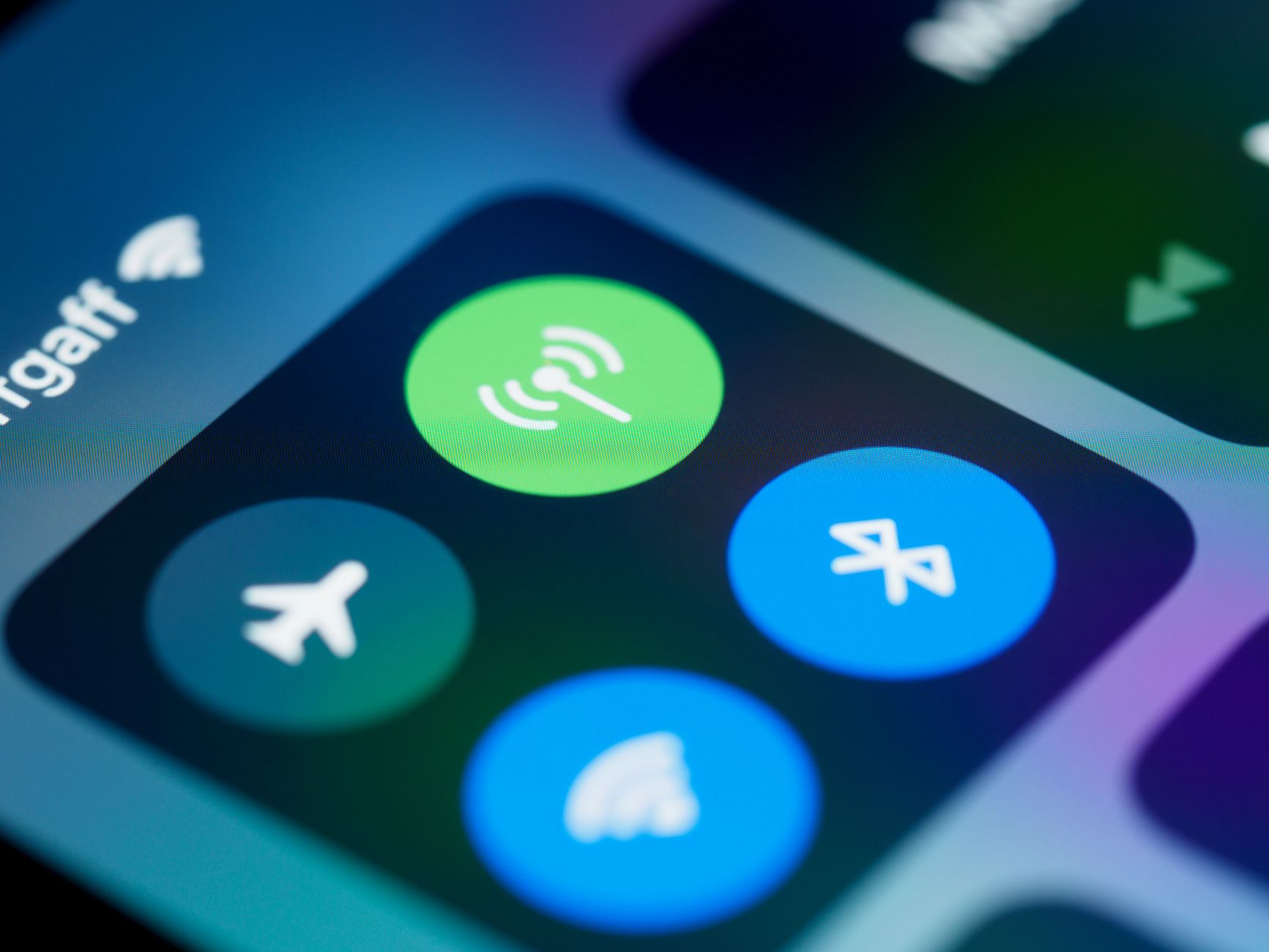
Photo by Brett Jordan on Pexels
You should turn on this feature whenever you experience weak cellular signal bars inside a home, office, or remote building. Basements, thick brick walls, and metal-reinforced structures often block cell tower signals completely while leaving Wi-Fi networks fully functional.
Using your home internet to handle phone calls also preserves your battery life. When a phone struggles to reach a distant cell tower, it cranks up its internal radio power, which drains the battery quickly. Connecting to a nearby router requires much less power.
Pros
- Fixes dropped calls in indoor dead zones.
- Uses existing home or office internet without extra fees.
- Integrates directly into your phone's default dialer.
Cons
- Requires a stable broadband internet connection.
- International numbers dialed over Wi-Fi still incur standard long-distance fees.
- Emergency services require an up-to-date registered physical address.
Does Wi-Fi Calling Cost Extra?
Major carriers typically offer domestic Wi-Fi calling as a free service included in your standard mobile plan. Calling another domestic number while connected to Wi-Fi counts against your regular minute allowance or counts as unlimited if you have an unlimited plan.
However, international calling rules change completely. If you are sitting in your living room and dial an international number over your home Wi-Fi, you still pay standard international long-distance rates. Connecting to Wi-Fi does not turn international calls into free services unless you use a separate third-party internet messaging app.
Tip: Check your carrier's specific policy regarding roaming charges before traveling abroad, as using Wi-Fi calling overseas to call back home may carry distinct rules depending on the provider.
How to Enable Wi-Fi Calling on iPhone and Android
Activating the feature takes less than a minute on most modern handsets. You will need your phone connected to the internet and your cellular account active.
To enable Wi-Fi calling on an iPhone, open your settings menu and tap Cellular or Mobile Service. If you use multiple SIM cards, select the specific line you want to configure. Tap Wi-Fi Calling, turn on the switch for Wi-Fi Calling on This iPhone, and follow the prompts to enter your emergency address.
To enable the feature on an Android device, open your settings and navigate to Network and Internet, then Mobile Network. Depending on your manufacturer, you may need to tap Advanced or look directly under your carrier settings. Toggle the switch for Wi-Fi Calling to the on position and complete the emergency address prompt.
What Happens When You Walk Away from Your Wi-Fi Router?
Many users worry that walking out of their house while talking on a Wi-Fi call will immediately disconnect the conversation. Modern phones and carrier networks support call handoff technology to prevent dropped calls.
If you walk away from your router and lose your Wi-Fi signal, your phone checks for a nearby cellular network. If a 4G LTE or 5G signal is available, the phone transfers the active voice session from the internet back to the cell tower instantly. If no cellular service exists outside your home, the call will drop the moment your internet connection cuts out.
Warning: Do not rely on Wi-Fi calling alone in remote cabins or concrete bunkers where cellular backup is completely absent, because losing router range will end your call immediately.
Common Wi-Fi Calling Issues and How to Fix Them
Troubleshooting connection failures usually takes just a few quick steps. If the feature refuses to turn on, check whether you completed the required emergency address form. Carriers block activation until you provide a physical location for emergency dispatchers.
If calls sound choppy or disconnect randomly, your internet router may be struggling with bandwidth congestion. Restarting your Wi-Fi router often clears up packet loss and stabilizes the voice stream. You should also verify that your phone operating system is up to date with the latest software patch.
Bottom line Wi-Fi calling is an essential free tool for anyone dealing with poor indoor cellular reception. It works best for users with reliable broadband internet who frequently experience dropped calls at home or work, though travelers should watch out for international long-distance fees.
FAQ
Does Wi-Fi calling cost extra money?
Domestic calls and text messages sent over Wi-Fi are generally free on major carrier plans, but international numbers still incur standard long-distance charges.
How do I know if Wi-Fi calling is working?
Your carrier name in the status bar at the top of your phone screen will often change to include text like Wi-Fi or a specific carrier Wi-Fi label while the feature is active.
What happens to a call if my Wi-Fi drops while talking?
If cellular service is available nearby, your phone will automatically transfer the active call to the cell network to keep you connected.
Can I receive text messages over Wi-Fi calling?
Yes, standard SMS text messages and multimedia messages route through your internet connection just like voice calls when a cellular signal is missing.
Why does my Wi-Fi calling keep disconnecting?
Intermittent internet stability, high router traffic, or weak wireless coverage inside your home usually causes sudden disconnections.
Sources
Facts in this article were checked against these pages on November 7, 2026:
- Wi-Fi Calling: What It Is, How It Works, and When to Use It (t-mobile.com)
- What Is Wi-Fi Calling and How Does It Work? (makeuseof.com)
- Make a call with Wi-Fi Calling - Apple Support (support.apple.com)
- What Is Wi-Fi Calling & How Does It Affect Your Phone Calls? (nextiva.com)
- Wi-Fi calling - Wikipedia (en.wikipedia.org)
- Best Wi-Fi Calling App 2026 — Calls Over WiFi | Tizy (tizyapp.com)
How we researched this: this guide is based on current manufacturer information and reputable sources, listed in the Sources section above, and is updated when things change. Read our editorial policy.
Content Writter



Comments
No comments yet — be the first to share your thoughts.