
Tile Pro vs. Apple AirTag: Which Tracker Should You Buy?
Compare Tile Pro and Apple AirTag to decide which item tracker suits your phone compatibility, budget, and daily carry needs.
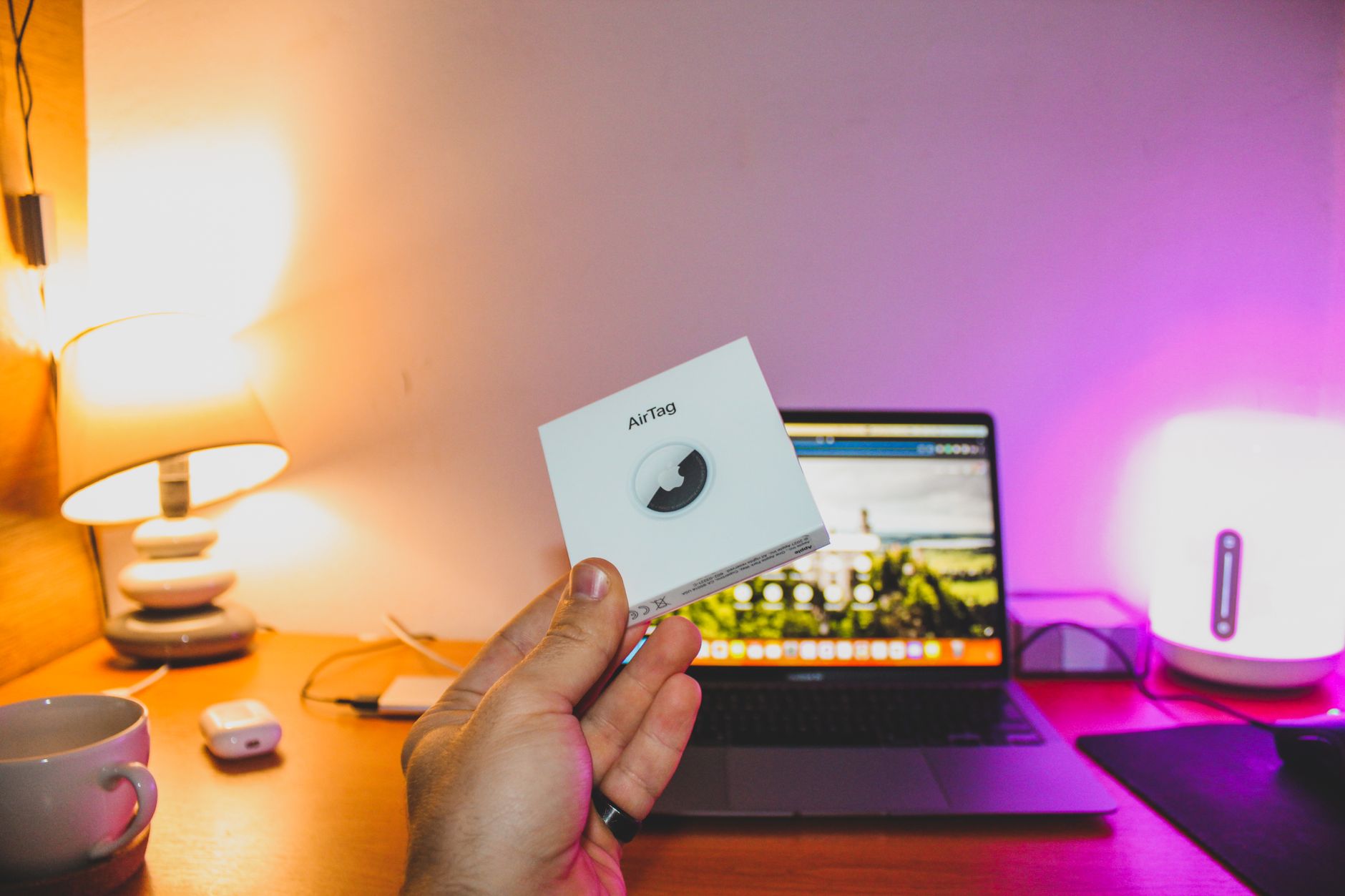
Quick answer Choose Apple AirTag if you use an iPhone and want access to the massive global Find My crowdsourced network. Choose Tile Pro if you use Android or want a louder standalone tracker with a built-in keyring hole and longer Bluetooth range.
Misplacing your keys or wallet disrupts your entire morning routine. Item trackers offer a simple fix, but choosing between a dedicated ecosystem device and a cross-platform alternative depends entirely on the smartphone in your pocket and how you travel.
Apple AirTag and the refreshed Tile Pro target different user bases despite serving the same core purpose. Understanding their differences in range, software ecosystem, and hardware design will help you avoid buying a tracker that does not match your daily routine.
Key takeaways
- Apple AirTag relies on Apple's massive global Find My network, while Tile Pro uses the Life360 and Tile network.
- Tile Pro features a built-in keyring hole and up to 400 feet of Bluetooth range, whereas AirTag requires an external accessory holder.
- AirTag is strictly exclusive to iOS devices, while Tile works smoothly on both iOS and Android platforms.
- Both trackers use user-replaceable CR2032 batteries that last about a year.
Design and Form Factor
Apple AirTag features a minimalist, disc-shaped body constructed of white plastic and stainless steel. While its compact form slides easily into a bag pocket, it completely lacks a built-in hole for attaching to a keychain. You must purchase a separate loop, strap, or key ring holder, which adds to the total upfront cost.
Tile Pro takes a different approach by including a sturdy built-in keyring hole right out of the box. You can clip it directly onto your keys or gym bag without buying extra accessories. Tile also offers alternative form factors like the card-shaped Slim and adhesive Sticker, giving you more flexibility for tracking odd items like wallets or laptops.
Pros
- Sleek, compact disc shape
- Durable stainless steel backing
- IP67 water resistance rating
Cons
- Requires buying separate keyring accessories
- No built-in attachment hole
Pros
- Built-in keyring hole requires no extra accessories
- IP68 water resistance rating
- Rugged build for heavy daily use
Pros
- Thicker profile than a bare AirTag
- Plain plastic aesthetic
Finding Range and Network Accuracy
Photo by RDNE Stock project on Pexels
Tile Pro boasts a maximum Bluetooth range of up to 400 feet in open spaces, letting you trigger a loud alarm from farther away when you are searching inside a home or office. When your item goes out of Bluetooth range, Tile relies on the crowdsourced Tile and Life360 network to help locate it.
Apple AirTag utilizes Ultra-Wideband technology on supported iPhones to provide Precision Finding. This feature displays exact directional arrows and distance measurements on your screen when you get close to the tracker. For long-distance tracking, AirTag leverages Apple's massive global Find My network, which consists of hundreds of millions of active Apple devices passing by and reporting locations automatically.
Battery Life and Replacement
Both of these flagship trackers avoid the frustration of disposable, throwaway hardware by offering user-replaceable batteries. Each unit runs on a standard CR2032 coin cell battery designed to last for about a year under normal daily use conditions.
Replacing the battery in either tracker takes less than a minute. You simply twist the backing counterclockwise on the AirTag or slide open the battery door on the Tile Pro, swap out the old cell, and snap the housing back into place. Keep in mind that some other budget Tile models use non-replaceable batteries lasting up to three years, but the Pro model keeps the replaceable cell.
Ecosystem Integration and Privacy
Apple AirTag integrates directly into the native iOS Find My app. There is no separate app to download or account to create if you already use an iPhone. This deep system integration also means Android users cannot use AirTags at all, as they require an Apple device for setup and tracking.
Tile operates through the Life360 app, supporting both iOS and Android platforms equally. The software ecosystem includes features like Smart Alerts and SOS capabilities for connected members. However, managing your trackers happens inside a third-party app environment rather than a built-in operating system tool.
Price and Ongoing Costs
An individual Apple AirTag retails for around $29, while a four-pack drops the per-unit price by bundling them for about $99. Remember to factor in the cost of third-party loops, straps, or key rings if you plan to attach them to keys.
Tile Pro retails for around $34.99 individually, though prices vary depending on retailer discounts and color options. Because it includes a built-in keyring hole, you generally save money by skipping accessory purchases, though optional subscription features through Life360 exist for advanced safety alerts.
| Feature | Apple AirTag | Tile Pro (2024) |
|---|---|---|
| Price | ~$29 each / ~$99 for 4-pack | ~$34.99 each |
| Phone Compatibility | iOS only | iOS and Android |
| Bluetooth Range | Standard range (~30-100 ft) | Up to 400 feet |
| Water Resistance | IP67 | IP68 |
| Battery Type | User-replaceable CR2032 | User-replaceable CR2032 |
| Attachment | Requires separate holder | Built-in keyring hole |
Choose Tile Pro If...
Choose Tile Pro if you carry an Android phone or use a mix of Android and Apple devices in your household. It is also the right pick if you want a rugged tracker with an IP68 water resistance rating, a built-in keyring hole that avoids extra accessory costs, and a longer Bluetooth connection range for finding items around your house.
Choose Apple AirTag If...
Choose Apple AirTag if you live entirely inside the Apple ecosystem and carry an iPhone with Ultra-Wideband support. The unmatched device density of Apple's global Find My network makes it the superior choice for tracking lost luggage or items left behind far from home.
Bottom line Apple AirTag is the premier choice for iPhone users relying on a massive global crowdsourcing network, while Tile Pro delivers superior cross-platform versatility, longer Bluetooth range, and built-in key attachment for Android and mixed-ecosystem users.
Common Mistakes to Avoid
- Assuming cross-platform support: Do not buy Apple AirTags if you or members of your household use Android phones, as they will not pair or set up.
- Ignoring accessory costs: Factor in the price of protective loops or key rings when budgeting for an Apple AirTag purchase.
- Expecting identical network density: Do not expect Tile's crowdsourced network to match the massive global volume of Apple's Find My network when tracking items in remote areas.
FAQ
Do AirTags work with Android phones?
No, Apple AirTags require an Apple device running iOS for setup and tracking.
Which item tracker has a louder alarm?
Tile Pro generally produces a louder built-in alert tone compared to the AirTag speaker, making it easier to hear under couch cushions or inside bags.
Do I need a subscription to use Tile Pro?
No, core tracking and finding features work without a paid subscription, though optional Life360 plans add advanced alerts.
Which network is better for finding lost items?
Apple's Find My network offers broader crowdsourced coverage globally due to the sheer volume of active iPhones passing by lost items.
Can you replace the battery in an AirTag?
Yes, you can easily open the back cover and swap out the standard CR2032 coin cell battery yourself once a year.
Sources
Facts in this article were checked against these pages on October 22, 2026:
- AirTag vs. Tile: The Ultimate Lost-and-Found Showdown (pcmag.com)
- Battle of the Trackers: Tile vs AirTag | Accessworld | American Foundation for the Blind (afb.org)
- Apple AirTag vs Tile Mate (youtube.com)
- AirTag Alternative: SmartTag2 vs Tile Pro - Mark Ellis Reviews (markellisreviews.com)
- Best Item Finder: AirTag or Tile Pro (wpsychservice.com)
- Tile vs AirTag: Which Should You Choose in 2026? - eufy US (eufy.com)
How we researched this: this guide is based on current manufacturer information and reputable sources, listed in the Sources section above, and is updated when things change. Read our editorial policy.
Content Writter



Comments
No comments yet — be the first to share your thoughts.