
How to Choose the Right Smart Floodlight Camera
Find the best smart floodlight camera for your home by comparing power sources, brightness levels, local storage, and smart features.
Quick answer Choose a hardwired smart floodlight camera with local storage if you want maximum brightness and no monthly fees. Pick a battery-powered model only if you lack existing outdoor electrical wiring.
Upgrading your outdoor security can stop potential intruders and give you peace of mind after dark. A smart floodlight camera combines motion-activated lights with a security camera into one device.
However, picking the right model involves navigating power options, varying brightness levels, and hidden subscription costs. This smart floodlight camera buying guide breaks down everything you need to know to pick the ideal unit for your property.
Key takeaways
- Hardwired models deliver maximum brightness and continuous recording, unlike battery units.
- Local storage options like Eufy save you money on monthly cloud subscriptions.
- Dual-lens designs with pan-tilt tracking offer much better coverage than fixed legacy cameras.
- Always check your electrical box weight limit before installing a heavy camera.
Wired vs. Battery-Powered Floodlight Cameras
Your first major choice is how the camera gets its power. Most floodlight cameras are hardwired into an existing outdoor electrical box. Hardwiring lets the lights shine at full brightness, often between 2,000 and 3,000 lumens, and allows for continuous 24/7 video recording.
Battery-powered options, such as the Arlo Pro 3 Floodlight Camera or Blink models, give you total placement freedom. You can mount them on sheds, fences, or walls that lack electrical wiring.
Keep in mind that battery-powered floodlights drastically reduce light brightness to conserve battery life. They also require you to periodically recharge or swap batteries, which can be difficult if you mount the camera high up on a wall.
If you have an existing floodlight fixture, hardwiring is usually the safer and more reliable choice. If you want to monitor a dark corner far from your house, a battery unit is your best alternative.
Key Specs That Actually Matter: Resolution, Field of View, and Light Lumens
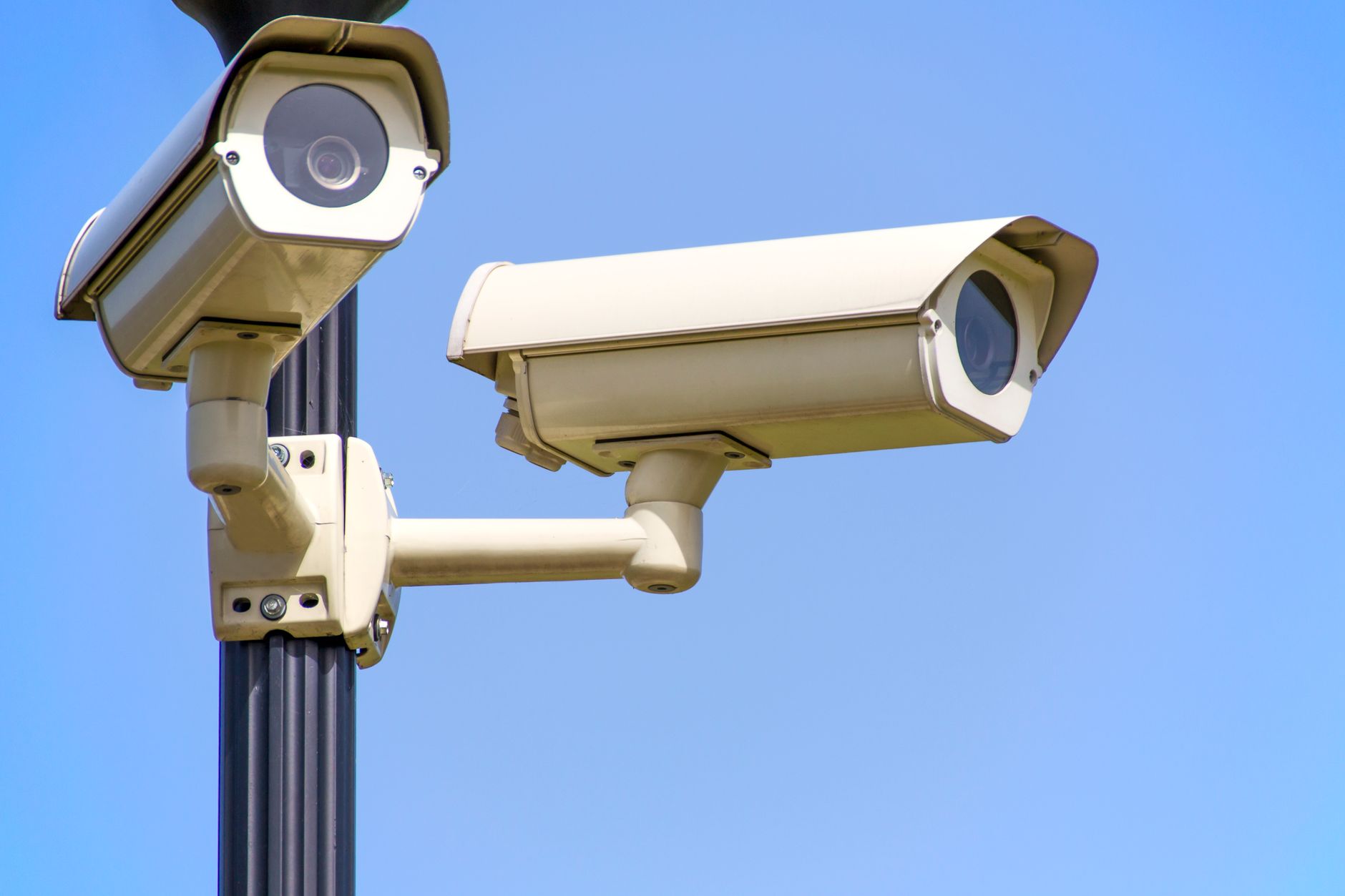
Photo by AS Photography on Pexels
Shopping for outdoor cameras can get confusing because of the long list of technical specifications. Focus on three main metrics to narrow down your choices: lumens, resolution, and field of view.
Lumens measure how bright the lights are. Most models range from 1,500 to 3,000 lumens. For example, the Blink Wired Floodlight Camera outputs 2,600 lumens, while units like the Eufy E340 and Ring Pro offer 2,000 lumens. Higher lumens light up a larger driveway or yard effectively.
Resolution has evolved past basic 1080p HD. Newer units feature 2K or 3K resolution, often using dual-lens setups that combine wide-angle and telephoto lenses. This allows the camera to zoom in on moving objects without losing detail.
Field of view spans from a standard 122 degrees up to motorized 360-degree pan-tilt tracking. A 360-degree camera can follow a person walking across your entire yard instead of staying locked on one fixed spot.
What to Look For: Smart Floodlight Camera Checklist
Before you buy, run through this quick checklist to ensure your chosen camera meets your daily needs:
- Power Source: Verify if you have an outdoor electrical junction box or if you need a battery model.
- Storage Type: Decide if you want free local storage via microSD or HomeBase, or if you prefer a cloud subscription.
- Detection Range: Check if the camera offers AI-powered object detection for people, vehicles, and pets to reduce false alerts.
- Weather Rating: Look for at least an IP65 rating to ensure the device withstands rain, snow, and dust.
- Ecosystem Compatibility: Make sure it integrates smoothly with Amazon Alexa, Google Home, or Apple Home.
Local Storage vs. Cloud Subscriptions: Avoiding Hidden Costs
Many homeowners buy a security camera only to find out later that they must pay a monthly fee to view their video history. Storage type is one of the most important factors affecting the true cost of ownership.
Brands like Eufy support local storage using a microSD card or a HomeBase 3 unit, meaning you never pay monthly fees. Blink requires a Blink Sync Module 2 along with a USB drive to save video locally.
On the other hand, cameras like the Google Nest Cam with Floodlight rely heavily on cloud subscriptions for full video history. Google Home plans start around $10 per month, while Arlo Secure costs about $3 per month.
Always calculate the two-year cost of a cloud-dependent camera before buying. A cheaper upfront camera with a monthly subscription often costs more over time than a slightly more expensive local-storage model.
Comparison of Popular Smart Floodlight Cameras
| Model | Power Source | Resolution | Lumens | Storage Type | Approx. Price |
|---|---|---|---|---|---|
| Blink Wired Floodlight | Wired | 1080p | 2,600 | Local (Requires Sync Module) | $90 |
| Eufy Floodlight Cam E340 | Wired | 3K/2K Dual | 2,000 | Local (microSD / HomeBase) | $180 |
| Google Nest Cam with Floodlight | Wired | 1080p | 2,400 | Cloud Subscription Required | $180 - $272 |
| Arlo Pro 3 Floodlight | Battery or Wired | 2K HDR | Varies (Higher wired) | Cloud (Arlo Secure) | $250 |
Smart Detection Features: Person, Vehicle, and Pet Alerts
Older legacy cameras triggered motion alerts every time a tree branch swayed or a stray cat walked past. Modern smart floodlight cameras use onboard artificial intelligence to tell the difference between real threats and routine movement.
Look for cameras that explicitly offer person, vehicle, and pet detection. You can set custom activity zones in the companion app so the camera only triggers when someone steps onto your property, ignoring cars driving past on the public street.
These smart alerts save you from getting dozens of annoying notifications every night. They also ensure that your recorded clips only capture events that actually matter.
Integration and Ecosystems: Alexa, Google Home, and Apple Home
Your new floodlight camera should fit neatly into your existing smart home setup. If you already use Amazon Echo devices with screens, buying an Alexa-compatible camera lets you view the live feed with a simple voice command.
Similarly, Google Home users will appreciate cameras that stream directly to Nest Hub displays or Chromecast devices. Apple users should look for HomeKit compatibility or future-proofing through the Matter smart home standard.
Choosing a camera within your current ecosystem keeps all your smart home controls inside a single app rather than forcing you to switch between multiple apps.
Weather Resistance and Durability Ratings
Outdoor security devices face harsh elements year-round, from freezing winter snow to intense summer heat. Most quality floodlight cameras feature an IP65 weather resistance rating.
This rating ensures the outer shell protects internal electrical components against driving rain and windblown dust. Always check the manufacturer specifications to confirm the operating temperature range, especially if you live in an area with extreme winter weather.
Common Mistakes to Avoid
Avoid these frequent pitfalls to make sure your installation goes smoothly:
- Ignoring weight limits: Assuming any old electrical box can support a heavy camera unit without checking mounting clearance.
- Overlooking hidden hardware costs: Buying a local-storage camera without realizing you still need to purchase a separate hub or sync module.
- Poor placement height: Mounting the floodlight too high up, which makes motion detection less accurate and complicates battery swaps.
- Skipping zone calibration: Leaving default motion settings active, which leads to excessive false triggers from street traffic and shadows.
Pros
- Deters intruders with bright motion-activated lights
- Provides clear night vision and high-resolution video
- Reduces false alarms with advanced AI object detection
- Offers flexible local or cloud storage choices
Cons
- Hardwired models require basic electrical wiring knowledge
- Battery models need regular recharging or battery swaps
- Cloud models require ongoing monthly subscription fees
- Heavy units may require upgraded mounting brackets
Who Should Buy This (And Who Should Skip It)
A smart floodlight camera is ideal for homeowners looking to secure dark driveways, backyards, or side paths without installing a complicated multi-camera security system.
Skip these devices if you live in a rental property where you cannot modify outdoor electrical boxes or drill mounting holes. Renters are usually better off using wire-free indoor cameras placed facing outwards through a window.
Bottom line For most homeowners, a hardwired dual-lens model with local storage like the Eufy Floodlight Cam E340 offers the best balance of bright lighting, sharp video, and zero ongoing subscription fees.
Related guide: How to Choose the Right Label Maker for Home Organizing
Related guide: How to Choose the Right Smart Sleep Tracker
FAQ
Do I need professional installation for a smart floodlight camera?
If you are replacing an existing outdoor hardwired light fixture and feel comfortable turning off your home circuit breaker, you can usually install a wired floodlight camera yourself in under an hour. If no electrical box exists, hiring a licensed electrician is recommended.
Can I use a floodlight camera without paying a monthly subscription?
Yes. Many brands like Eufy support local storage via a microSD card or home base hub without any monthly fees. Just make sure to check the box requirements before purchasing.
What is the difference between battery-powered and hardwired floodlight cameras?
Hardwired cameras connect directly to your home electrical wiring, enabling continuous 24/7 recording and maximum light brightness. Battery-powered cameras offer flexible placement where wires cannot reach, but they dim their lights to save battery and require periodic recharging.
How many lumens do I need for outdoor security lighting?
For standard residential driveways and backyards, look for a brightness level between 2,000 and 3,000 lumens. This range provides enough illumination to clearly light up a large area after dark.
Do smart floodlight cameras work with Apple HomeKit?
Some models offer direct Apple HomeKit support, while others integrate through bridges or newer Matter firmware updates. Check the specific manufacturer specifications if Apple Home is your primary ecosystem.
Sources
Facts in this article were checked against these pages on November 10, 2026:
- Best Floodlight Camera for Outdoor Security (reolink.com)
- The Best Floodlight Cameras for 2026 (pcmag.com)
- Tapo's Best Floodlight Cameras: A Complete Guide to Smarter Outdoor Security | Tapo (tapo.com)
- The Best Floodlight Cameras - X-SENSE (x-sense.com)
- 6 Best Floodlight Cameras of 2026, Lab-Tested and Reviewed - Consumer Reports (consumerreports.org)
- Best Floodlight Cameras for Home Security | SafeWise (safewise.com)
How we researched this: this guide is based on current manufacturer information and reputable sources, listed in the Sources section above, and is updated when things change. Read our editorial policy.
Content Writter


Comments
No comments yet — be the first to share your thoughts.