
How to Fix a Robot Vacuum That Keeps Getting Stuck
Stop your automated cleaner from constantly halting mid-cycle. Follow this step-by-step guide to fix wheel jams, dirty sensors, and mapping loops.
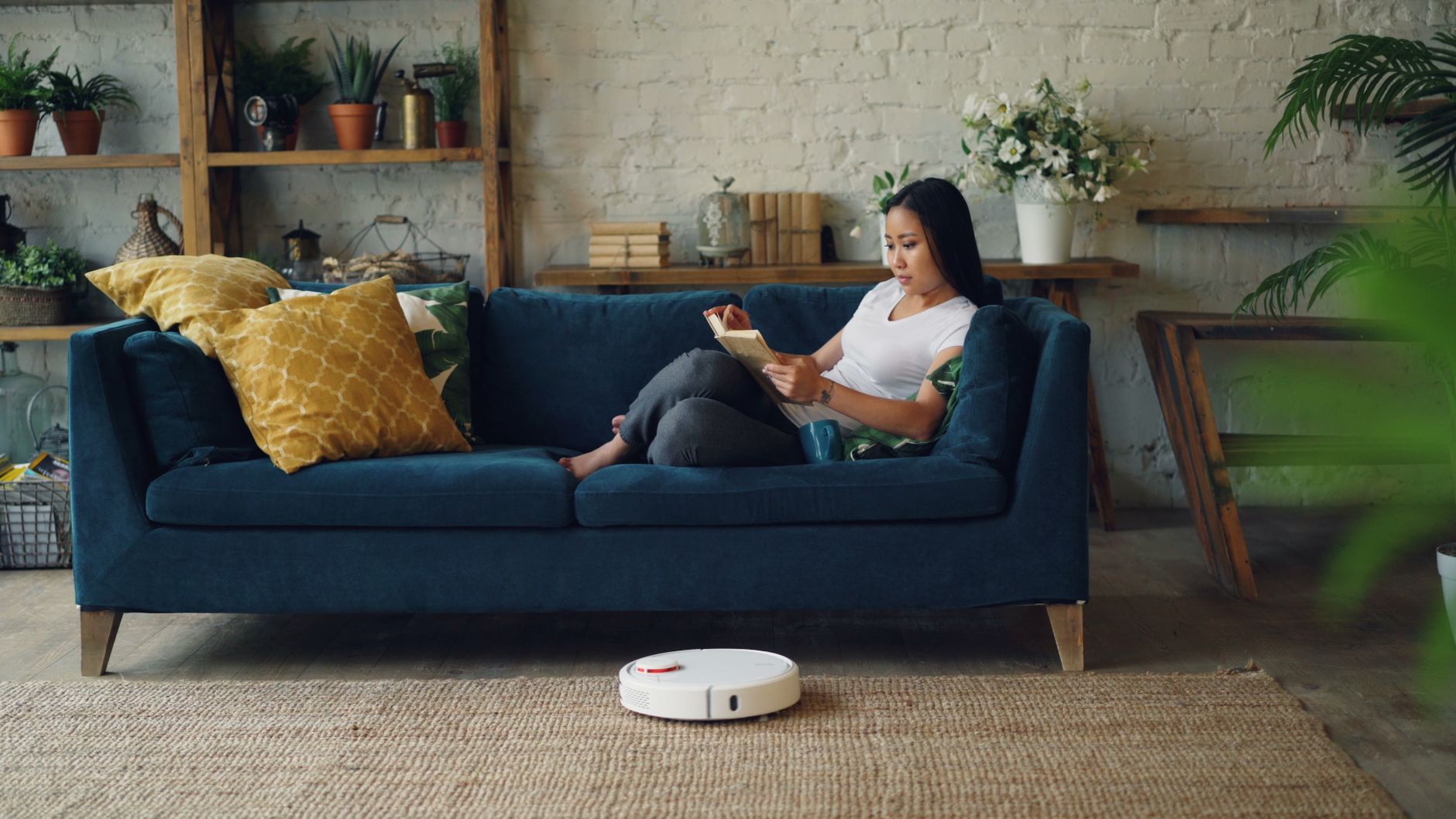
Quick answer A robot vacuum usually gets stuck due to hair tangled in the wheels, dirty cliff sensors misinterpreting flooring, or tight furniture clearances. You can fix most issues by cleaning the drive wheels with tweezers, wiping the infrared sensors with a microfiber cloth, and setting digital no-go zones in your app.
Few things test your patience quite like hearing your automated floor cleaner chime in distress from under the couch, yet again. When your machine stops every single time it runs, the convenience of hands-off cleaning quickly turns into a frustrating chore.
Modern cleaners rely on a delicate balance of mechanical grip, optical sensors, and software mapping. If one of these elements fails, the vacuum halts and sends an error alert. Fortunately, you can fix most traps and navigation failures yourself using a few basic tools and app settings.
Key takeaways
- Tangled hair and micro-debris in drive wheels cause most physical movement errors.
- Dusty cliff sensors often trigger false drop-off panics on dark or glossy floors.
- Combining physical cord management with app-based no-go zones stops repetitive jams.
- Updating your vacuum firmware patches navigation logic bugs and improves motor torque.
Common Symptoms of a Trapped Vacuum
Before you start taking your cleaner apart, look closely at how it fails. The specific way your machine gets stuck points directly to the underlying cause.
- Spinning in circles: Usually indicates an obstructed bumper sensor or a dirty cliff sensor on the bottom.
- Stopping mid-room with a wheel error: Points to hair wrapped tightly around the main drive wheels or the front caster.
- Getting wedged under the same piece of furniture: Highlights a clearance problem that requires physical risers or a digital boundary.
- Wandering aimlessly then giving up: Points to a corrupted floor map or poor room lighting.
Check for Trapped Debris in Wheels and Brushes
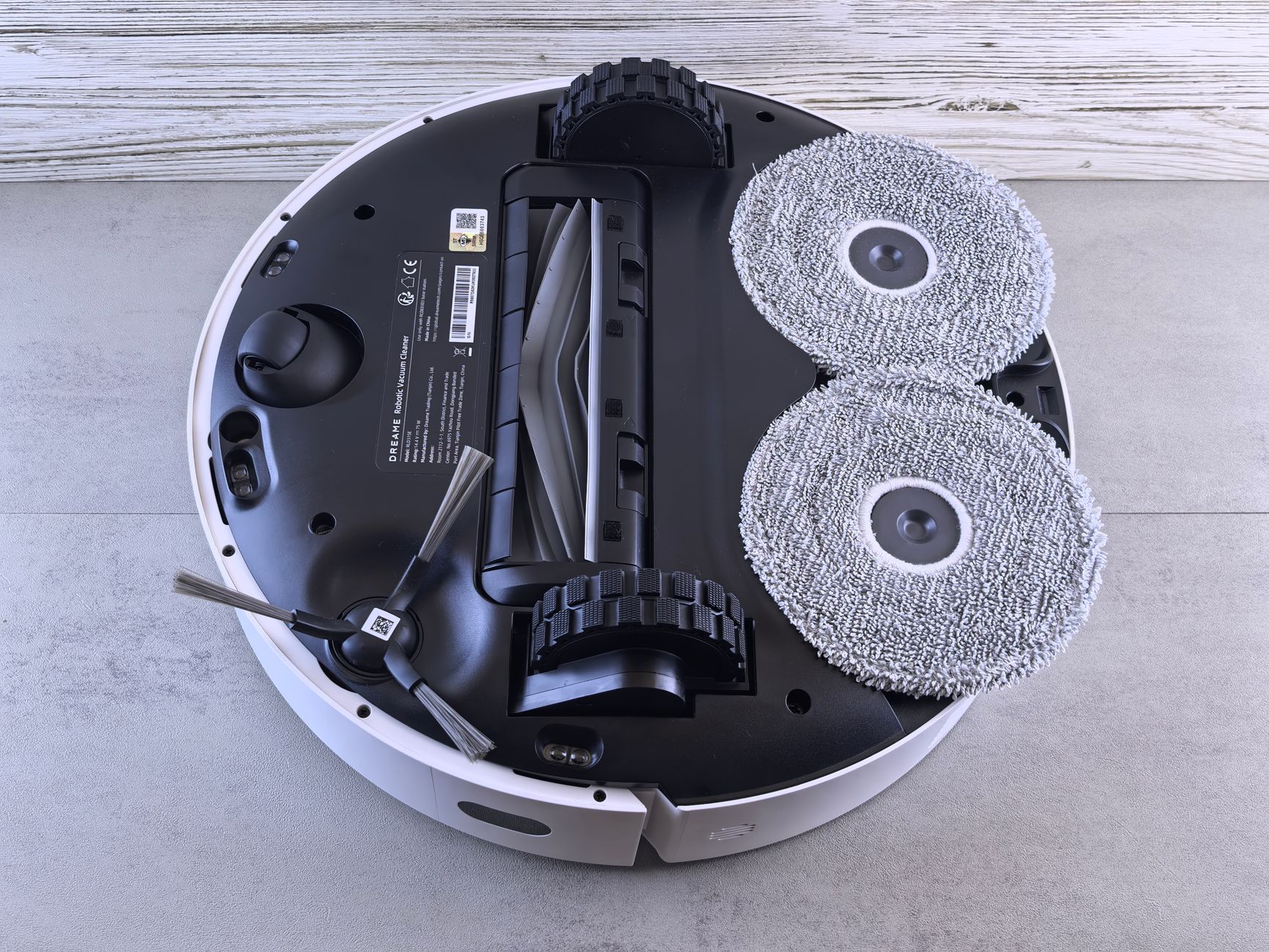
Photo by Andrey Matveev on Pexels
The most common physical reason a robot vacuum keeps getting stuck is hidden hair and dust packed tightly inside the wheel wells and brush rolls. Even high-end models with advanced anti-tangle tech can accumulate stubborn fibers over weeks of cleaning.
Follow these numbered steps to clean your drive wheels and brushes safely:
- Turn your vacuum upside down on a soft, flat surface to protect the top housing and camera lenses.
- Inspect the main side drive wheels. Look for hair wrapped around the inner axle where standard pulling will not reach.
- Use a small pair of tweezers or a seam ripper tool to cut and pull out tangled pet hair, threads, and carpet fibers.
- Spin the wheels manually with your fingers. They should spring back smoothly and rotate without any grinding friction.
- Pull out the front caster wheel completely. Clean out the hair ball trapped inside its socket, then snap the wheel firmly back into place.
- Remove the main brush roll and use a cleaning tool to slice away tightly wound hair along the ends.
Warning: Never yank or forcefully pull a stuck robot vacuum free from a tight spot. Doing so can strip the internal drive gears or snap delicate bottom sensors.
Clean the Cliff and Wall Sensors
Your vacuum uses small infrared and optical sensors on its underside to detect stairs and avoid major drop-offs. If these sensors get coated in a fine layer of household dust, they misinterpret flat, dark, glossy, or reflective floors as dangerous cliffs. This triggers an emergency stop.
Wipe all drop sensors and wall-tracking sensors regularly using a soft, dry, lint-free microfiber cloth. Do not use chemical sprays or abrasive paper towels, which can scratch the delicate plastic lenses and permanently disrupt their depth perception.
Clear Floor Clutter and Update No-No Zones
Loose electrical cords, rug edges, and thick fringes commonly jam brushes and stall wheels. Even the smartest machines struggle with random phone charger cables scattered across a bedroom floor.
Lift loose cords off the floor using plastic zip ties, cable clips, or heavy wall-mounted cable boxes. For complex wire clusters or low furniture clearances that your vacuum cannot safely clear, open your companion mobile app. Draw digital boundaries, virtual walls, or no-go zones around those trouble spots to keep the machine away permanently.
Tip: If your vacuum constantly gets stuck under a low couch or low bed, place small furniture risers under the legs to lift the frame by an inch, giving the top sensor turret enough clearance to pass safely.
Reset and Remap Your Home Layout
Mapping glitches, navigation errors, or poor room lighting can cause repeated stalling loops. If your camera-based vacuum runs in the dark or encounters a completely rearranged room, it may lose its orientation and panic.
Open your app settings, locate the map management menu, and clear the existing floor plan. Turn on all the lights in your home, place the vacuum back on its charging dock, and run a fresh mapping cycle. A clean, updated map helps the machine calculate optimal pathways without getting confused.
Update the Vacuum Firmware
Manufacturers regularly push software updates through companion apps to patch navigation logic bugs, improve obstacle avoidance routines, and refine wheel torque management. If your model struggles with specific thresholds or low-pile rugs, an outdated firmware version might be the hidden culprit.
Open your device settings in the app, look for the firmware or software version tab, and install any available updates. Ensure your phone and dock remain connected to a stable Wi-Fi network during the download process.
Common Mistakes to Avoid
Troubleshooting goes much faster when you avoid these typical errors:
- Forgetting the front caster: Cleaning only the large main drive wheels while leaving the tiny front wheel packed with hair.
- Ignoring sensor maintenance: Assuming cliff sensors are fine just because they look clean from a distance.
- Relying only on software: Expecting digital boundaries to fix physical clutter that needs to be picked up off the floor.
- Forcing stuck units: Yanking a wedged vacuum backward instead of lifting it gently straight up.
Bottom line Most stuck robot vacuum issues stem from physical hair buildup or dirty sensors. Work through the basic hardware cleaning steps and app boundaries first. If your vacuum still fails after a complete factory map reset and firmware update, contact customer support for warranty service or consider upgrading to a newer model with advanced obstacle recognition.
FAQ
Why does my robot vacuum keep getting stuck in the same spot?
This usually happens due to a low clearance threshold, a stray power cord, or a mapping error. Check the spot for loose items, or draw a digital no-go zone around it in your mobile app.
How do I clean cliff sensors on a robot vacuum?
Flip the vacuum upside down and wipe the small dark glass windows on the bottom housing using a dry, lint-free microfiber cloth. Avoid using water or cleaning liquids.
Should I update the map if my vacuum keeps getting lost?
Yes. If you have rearranged furniture or if lighting conditions changed, clearing the old map and running a fresh mapping run solves most navigation loops.
What causes a robot vacuum drive wheel error?
Drive wheel errors typically happen when pet hair or carpet threads wrap tightly around the inner axle, preventing the motor from turning freely.
How do I set up no-go zones to stop my vacuum from getting stuck?
Open your vacuum companion app, select your saved home map, and use the boundary tool to draw red boxes or lines over areas with tangled wires or problematic furniture legs.
Sources
Facts in this article were checked against these pages on October 14, 2026:
- Robot Vacuum Wheel Issues? Fix, Clean & Prevent Easily – Narwal Robotics (us.narwal.com)
- Why Your Robot Vacuum Gets Stuck and How to Stop It – Narwal Robotics (us.narwal.com)
- 3 easy ways to stop your robot vacuum from getting stuck | Homes and Gardens (homesandgardens.com)
- Stop Robot Vacuums Getting Stuck: 4 Practical Tips - eufy AU (eufy.com)
- How to Stop Robot Vacuum from Getting Stuck - eufy US (eufy.com)
- Robot vacuum keeps getting stuck! | Finding a solution using 3D Printing. (youtube.com)
How we researched this: this guide is based on current manufacturer information and reputable sources, listed in the Sources section above, and is updated when things change. Read our editorial policy.
Content Writter




Comments
No comments yet — be the first to share your thoughts.